



AI Software is everywhere right now. Demos look magical, competitors are “adding AI,” and every sales call seems to include the word “agent.”
That’s exactly why myths spread so fast.
For B2B SaaS teams, the risk is not that AI is fake. The risk is buying, building, or betting on roadmap cycles based on the wrong expectations. Then six weeks later, the model is “not working,” the team is frustrated, and leadership decides AI is a distraction.
Most of the time, the problem is not the tech. It’s the assumptions.
Let’s clear up the most common myths, in plain language, with practical ways to evaluate AI Software without getting pulled into hype.
Jump to:
Why Do AI Software Myths Spread So Fast In B2B SaaS?
Myths spread for three reasons.
First, AI Software looks impressive in controlled demos. A well-crafted prompt on clean data can feel like a miracle.
Second, different categories get mixed. A chatbot, an analytics model, and an automated workflow tool can all be called “AI,” even though they behave very differently.
Third, buyers want certainty. In B2B SaaS, you are juggling adoption, retention, security reviews, and sales cycles. It’s tempting to believe a single tool will fix a whole chain of problems.
A healthier approach is to treat AI like any other product capability. Define the job to be done, measure outcomes, and plan for iteration.
Is AI Software Just A Fancy Chatbot?
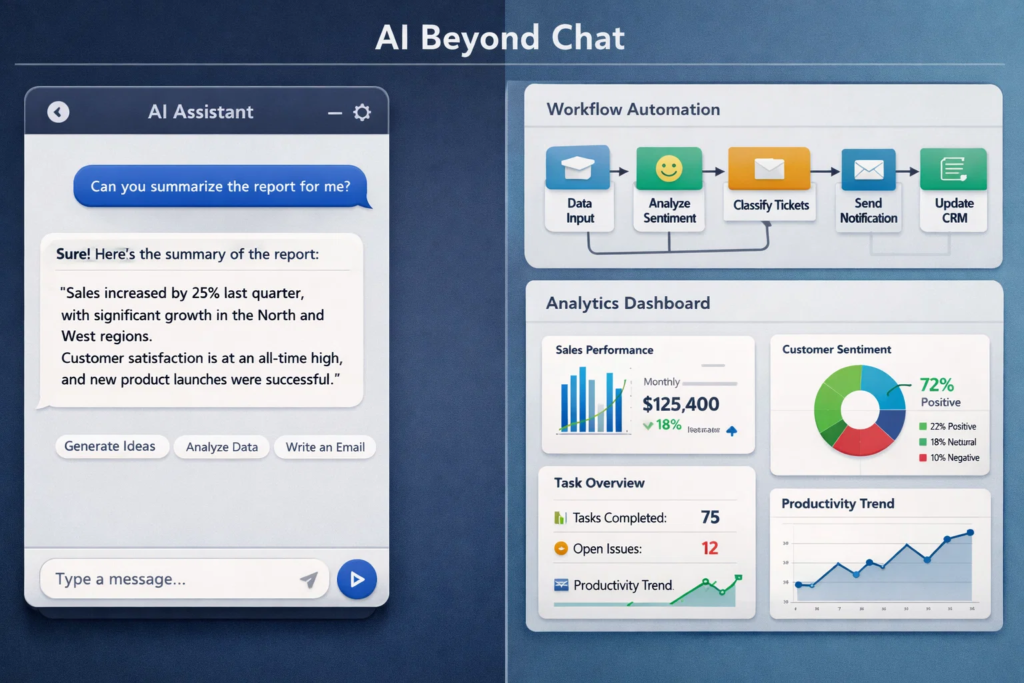
This is one of the biggest misconceptions.
Yes, chat is a popular interface. But AI Software can sit in multiple places in a B2B SaaS product and internal stack, like:
- Classifying inbound leads and routing them
- Summarizing calls and tickets
- Extracting fields from documents
- Detecting anomalies in usage or billing
- Drafting first pass content for knowledge bases
- Suggesting next best actions for CSM or sales
If your evaluation starts and ends with “does the chatbot sound smart,” you will miss the real value. The better question is, “Does it reduce cycle time, improve quality, or unlock a workflow we could not reasonably do before?”
Will AI Replace My Team If We Adopt It?
This myth shows up in two forms.
One is fear: “If we adopt AI, roles disappear.”
The other is wishful thinking: “We can cut headcount because AI will do it all.”
In practice, most successful B2B SaaS implementations look like augmentation. AI takes the first pass, the repetitive pieces, and the busywork. Humans keep ownership of judgment, edge cases, and customer context.
A simple way to plan is to break work into three buckets:
- Drafting and triage
- Decisions and approvals
- Exceptions and escalation
AI is usually strong in bucket one, helpful in bucket two with guardrails, and risky in bucket three unless you are very careful.
Example where needed: A support team utilizes AI to draft replies based on the knowledge base, but agents review them before sending. Response times drop, customer satisfaction stays stable, and the team spends more time on complex tickets instead of typing the same answer all day.
Is AI Software Plug And Play, Or Do We Need A Big Implementation?
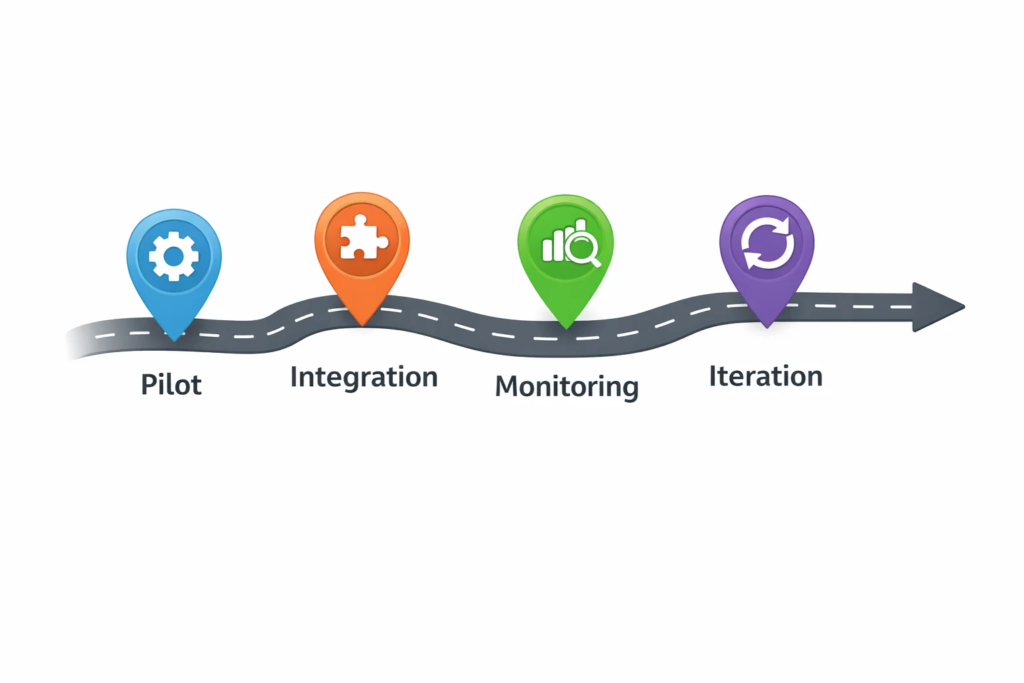
A lot of disappointment comes from expecting instant results.
Some AI Software really is lightweight to start. You connect a data source, set up a workflow, and you get value fast.
But production-grade value usually requires at least a bit of implementation work, like:
- Clean inputs, clear definitions, consistent fields
- Access controls and security review
- Monitoring and feedback loops
- A plan for handling wrong outputs
Think of it like analytics. Installing the tool is easy. Getting trustworthy insights requires instrumenting events properly and deciding what “good” means.
If you want a practical test, ask this before buying or building: “What happens on day 30 when the model makes a mistake?” If the answer is unclear, the rollout plan is incomplete.
Do We Need Massive Data To Use AI Software?
This myth is half true, depending on what you are doing.
If you are training your own model from scratch, yes, data requirements can be huge.
But most B2B SaaS teams are not training from scratch. They are using existing models, then improving results with better context, retrieval, and fine-tuned prompts or configurations.
In many cases, you can get real value with:
- A clean set of documents and FAQs
- High-quality examples of the desired output
- A labeled set of past tickets or calls
- Clear business rules for edge cases
The key is not “tons of data.” The key is “relevant data and a clear definition of success.”
Example where needed: If you want AI to classify support tickets, you often need a few hundred well-labeled tickets and a consistent taxonomy. You do not need millions of rows. You need clarity.
Can AI Software Fix Messy Data And Broken Processes?
This is one of the most expensive myths.
AI does not magically repair a messy workflow. If your CRM fields are inconsistent, your handoffs are unclear, and your definitions change every week, AI will amplify the chaos faster than a human team can.
AI Software works best when it sits on top of a process that is already mostly sane.
A good rule: if a human cannot do the task reliably with the information you provide, AI will not either. It might sound confident, but it will not be reliable.
If you are early, start by tightening the process first. Then add AI where it removes friction.
Is AI Software Always Cheaper Than Hiring Or Outsourcing?
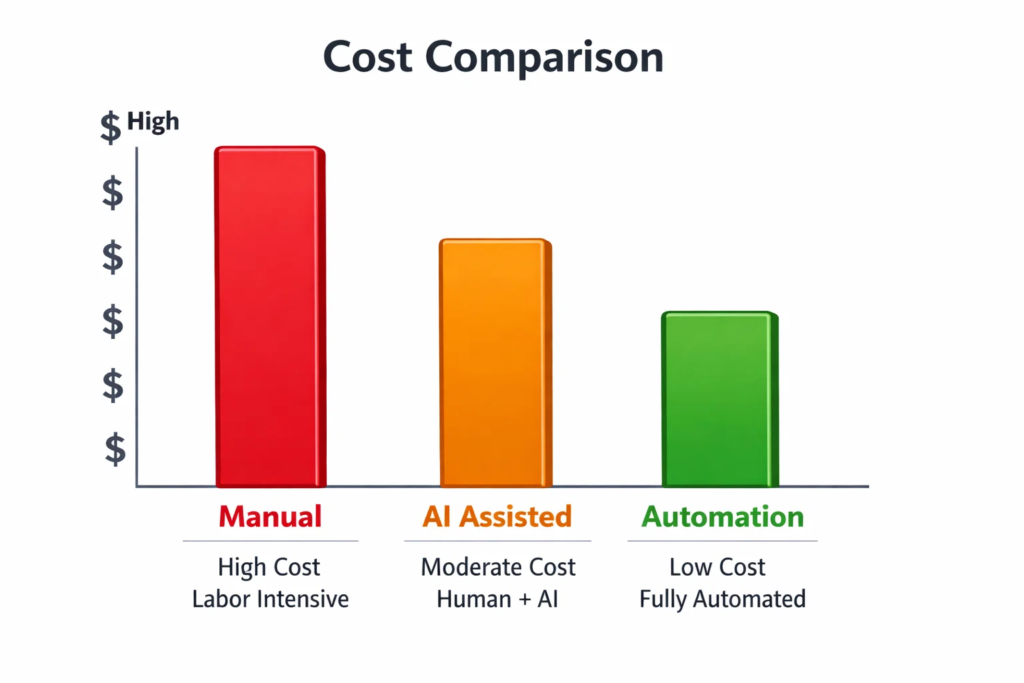
AI can reduce costs, but it is not automatically cheaper.
The total cost includes:
- Licensing or usage fees
- Integration effort
- Security and compliance review
- Ongoing monitoring and prompt workflow updates
- Human review time, if needed
- Opportunity cost of engineering cycles
In B2B SaaS, the best ROI often comes from AI where volume is high, and the task is repetitive, like ticket triage, call summaries, enrichment, or draft generation.
If the task is rare, high-risk, or deeply contextual, manual work can still be cheaper and safer.
A practical approach is to calculate “cost per completed outcome,” not “cost per tool.”
Which Myths Should You Ignore First When Evaluating AI Software?
Here’s a quick table you can use in internal discussions.
| Myth | Reality | What To Do Instead |
|---|---|---|
| “More prompts equals better AI.” | You still need setup, context, and monitoring | Pilot with one workflow and define success metrics |
| “AI is accurate like software.” | Prompting helps, but data and process matter more | Improve inputs and define clear rules for edge cases |
| “One model fits all use cases.” | “It will work out of the box.” | Add review paths and track error types |
| “AI will replace the team.” | Different tasks need different approaches | Match the tool to the job, classify use cases by risk |
| “AI will replace the team.” | Most value comes from augmentation | Redesign workflows around human plus AI collaboration |
This table is useful because it shifts the conversation from hype to execution.
Will AI Software Make Us Non-Compliant or Unsafe?
Security and compliance concerns are valid, especially in B2B SaaS, where customers ask hard questions.
But “AI equals unsafe” is a myth. The real answer is: it depends on how you implement it.
Key things to verify:
- Data handling: what is stored, where, and for how long
- Access controls: who can send what data into the system
- Tenant isolation: how data is separated across customers
- Logging: whether prompts and outputs are retained
- Redaction: whether sensitive fields can be masked
- Human review: for high-impact actions and decisions
If your AI Software vendor cannot clearly answer these, that is not an AI problem. That is a vendor maturity problem.
For internal use cases, you can often start with low-risk workflows that do not require sensitive data, then expand once governance is in place.
Is AI Software Accurate Enough for Customer-Facing Work?
Accuracy is not a single number. It depends on the task.
For customer-facing usage, the question becomes: “What is the cost of a mistake?”
Low risk examples: summarizing a call for internal notes, drafting a reply that a human reviews, suggesting knowledge base links.
High risk examples: billing changes, legal claims, medical guidance, security instructions, or anything that could create contractual confusion.
For B2B SaaS, a common winning pattern is “AI drafts, human approves.” Over time, you reduce review requirements only where performance is proven.
Example where needed: A CSM team uses AI to draft QBR summaries from call transcripts and product usage. The CSM edits before sending. Customers get faster follow-ups, and the team keeps control of tone and accuracy.
Does Adding AI Software Automatically Improve Retention Or Revenue?
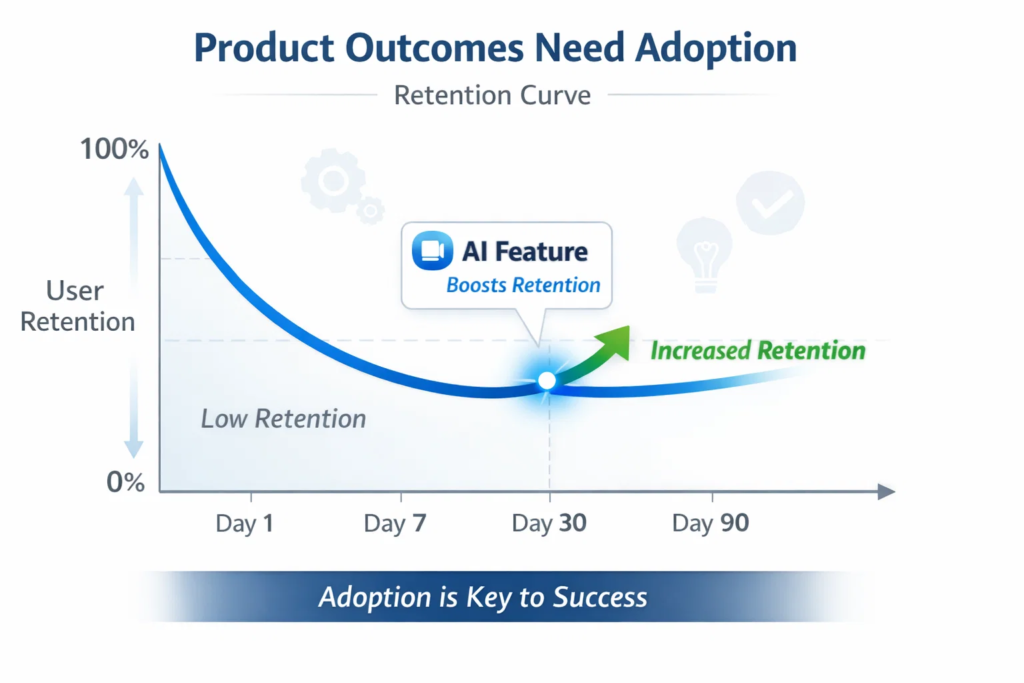
This is a sneaky myth because it sounds reasonable. “AI is valuable, so it should improve retention.”
But outcomes only improve if the feature is adopted and actually helps the user complete a job faster or better.
In B2B SaaS, AI features fail when:
- They are positioned as a gimmick, not a workflow improvement
- They require too much setup for the customer
- They are added without clear use cases and education
- They produce outputs that users do not trust
If you want AI to impact retention, attach it to high-frequency workflows. Then, instrument adoption, like any other feature: activation rate, repeat usage, time saved, and task completion.
A small, reliable AI improvement that users touch weekly beats a flashy feature they try once.
Is Building AI In-House Always Better Than Buying?
Some teams assume “we should build because it is strategic.” Others assume “we should buy because it is faster.”
In reality, the decision depends on differentiation.
Build makes sense when:
- The workflow is core to your product advantage
- You have unique data or domain rules
- You can support ongoing iteration and monitoring
- You need deep integration and control
Buy makes sense when:
- The use case is common across many companies
- Time to value matters more than customization
- You want proven security and vendor support
- Your team would rather focus on core product work
Many B2B SaaS teams end up with a hybrid approach. Buy for standard capabilities, build for the parts that make your product unique.
How Do We Evaluate AI Software Without Getting Fooled By Demos?
Demos are optimized to impress. Your evaluation should be optimized to protect you.
Here’s a practical evaluation flow that works well:
- Pick one narrow use case with clear success criteria
- Test with real messy inputs, not curated examples
- Track failure modes, not just average performance
- Decide the required guardrails: review, fallback, escalation
- Measure business impact: time saved, quality, cycle time, conversion, deflection
Keep the pilot short and honest. If the vendor resists real-world testing, that is a signal.
Also, evaluate the experience. In B2B SaaS, usability and trust matter as much as raw model capability.
What Should B2B SaaS Teams Do Next If They Want Real Value From AI Software?
If you only remember one thing, let it be this.
AI Software is not a single feature. It is a capability that needs a workflow, constraints, and measurement.
A strong next step is to create a small internal “AI myths checklist” for your team:
- Are we solving one specific job to be done, or chasing hype?
- Do we have clear definitions and clean enough inputs?
- What is the cost of an error, and what is the fallback?
- How will we measure success in two weeks, not two quarters?
- Who owns iteration after launch?
Most myths disappear when you force the conversation into measurable outcomes.
AI is absolutely useful for B2B SaaS. Just not in the magical way social media makes it sound.
If you treat it like product work, not a miracle, you will get the upside without the hangover.